Two answers to one search
Searching for "ghost mannequin" yields two distinct results. One set directs you to physical mannequins, while the other offers software solutions that render the mannequin unnecessary.
The first option embodies catalog photography from the past three decades, involving a $300 invisible mannequin, a softbox, a tripod, and a Photoshop editor dedicating an hour per garment to refine the image. The second option represents 2026, featuring an iPhone, a flat-lay photo, and a mere 15 seconds.
This post outlines the second method. Size AI developed it to operate on the phone in your pocket.
What is a ghost mannequin?
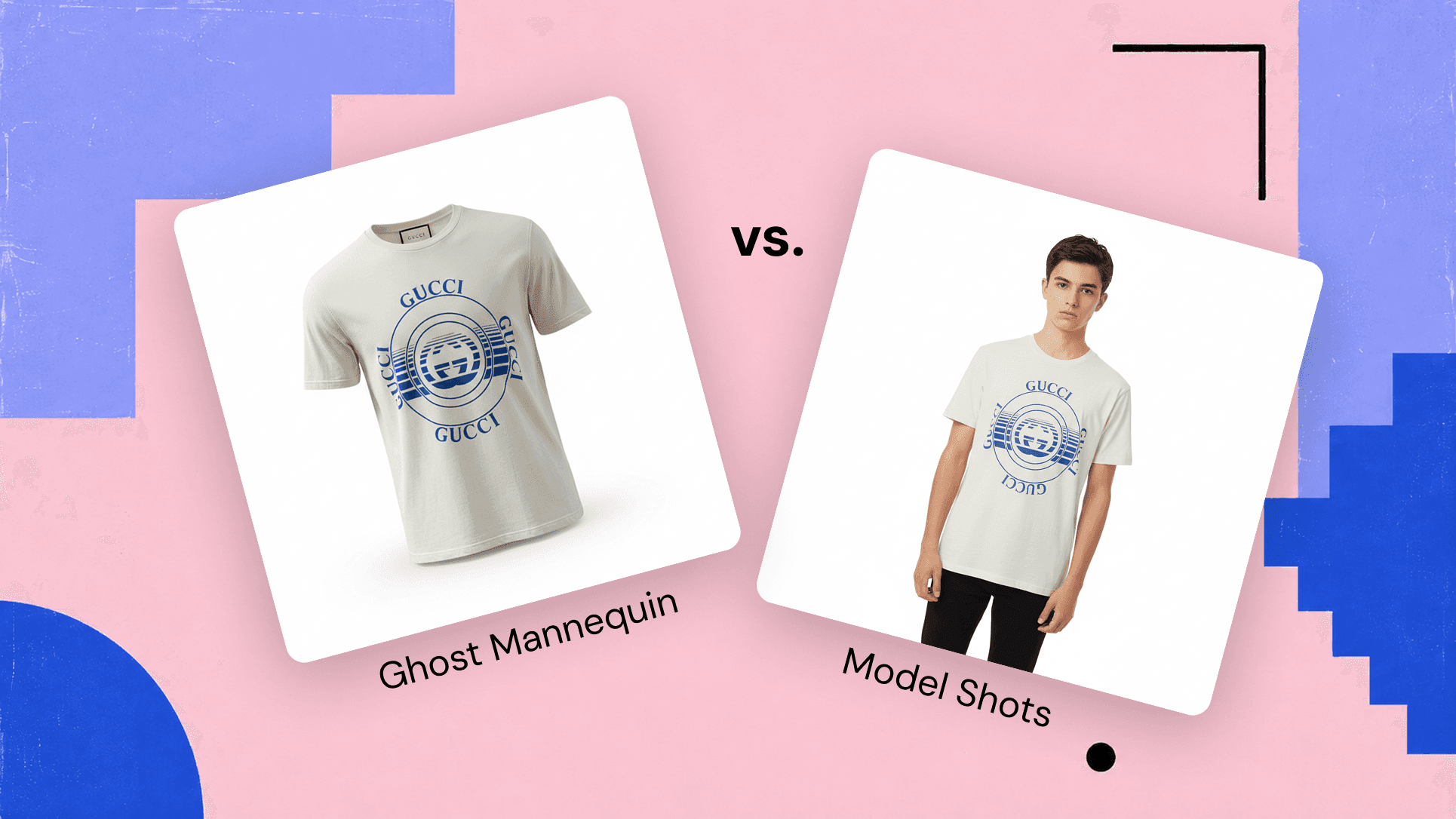
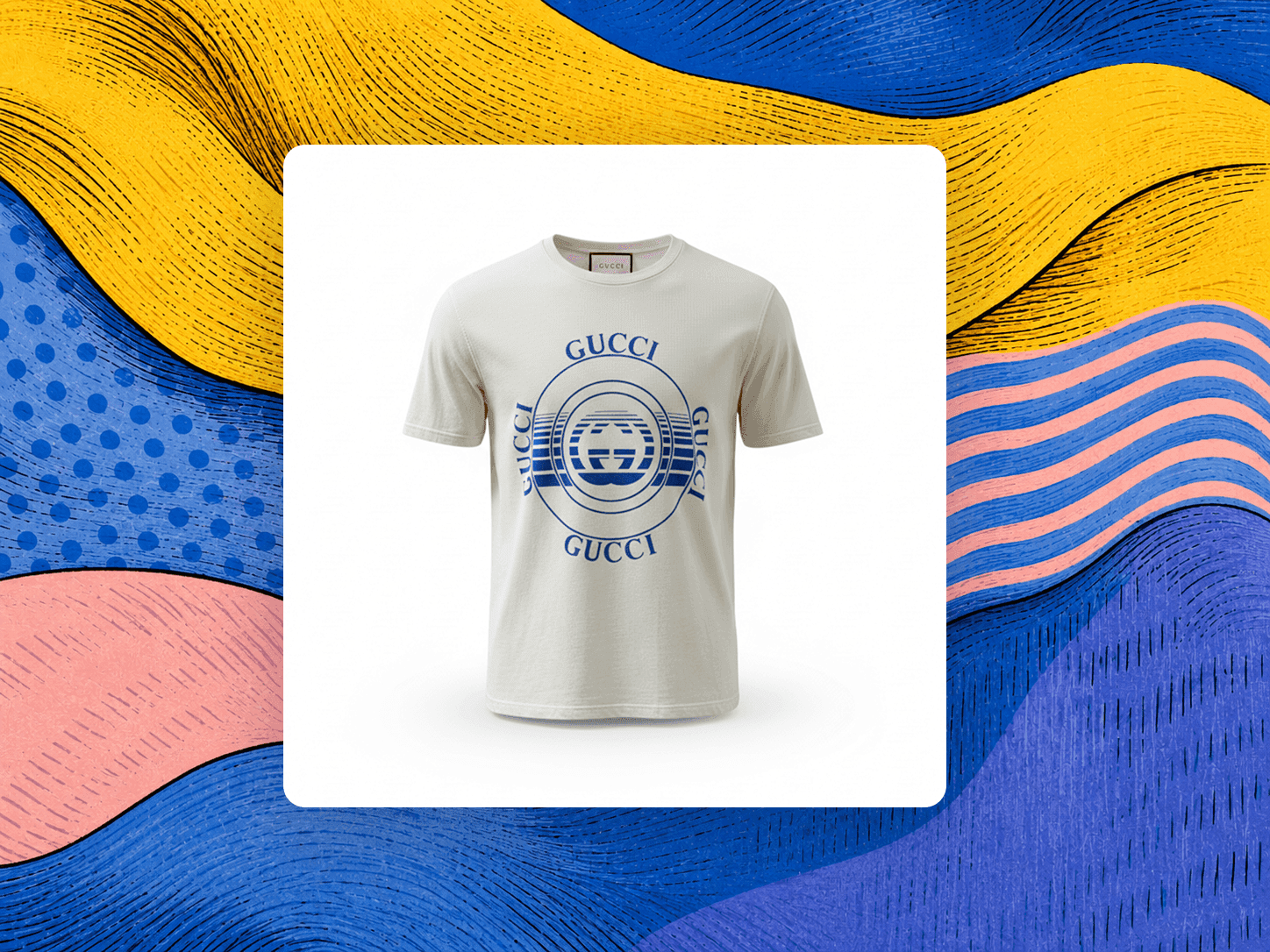
A ghost mannequin refers to a product photo where no mannequin is visible. The garment seems to float in 3D, maintaining its shape, and is photographed from the front, three-quarter, or side view. Catalog buyers favor this approach because it shows fit and drape without a mannequin overshadowing the garment.
This technique has become a standard in catalog imagery for platforms such as Shopify, Amazon, and most marketplace product detail pages. The innovation lies in the democratization of its production. Five years ago, creating a ghost mannequin photo involved a physical invisible mannequin and an editor piecing together front and back panels in Photoshop. Today, software handles both tasks using a single flat-lay photo.
Studio service versus the phone in your pocket
The fastest way to see the shift is a direct comparison. A premium studio product-photography service against the same shot generated in the Size AI app:
| Traditional studio service | Size AI | |
|---|---|---|
| Cost | $50 to $90 per image | Photo Studio plans from $9.99 a month |
| Turnaround | Days, after shipping and editing | About 15 seconds per shot |
| Equipment | Mannequin, lighting, camera, editor | The iPhone you already own |
| Source photo | A dedicated studio session | The flat-lay you already took to measure |
| Output | A product image only | Measurements plus the product image, one capture |
The last row is the one a studio cannot match. The flat-lay you shoot to measure the garment is the same photo that generates the ghost mannequin shot. The product image stops being a separate invoice. It is a byproduct of the measurement you already needed.
The cost, time, and quality breakdown
Comparing five approaches to producing a ghost mannequin shot:
| Method | Setup Cost | Per-Image Cost | Time Per Image | Output Quality | Best For |
|---|---|---|---|---|---|
| Physical mannequin + DIY Photoshop | $150 to $500 (mannequin), more for lighting | $0.80 to $1.79 | 20 to 90 min | Skill-dependent | Boutique brands |
| Freelance retoucher | $0 | $0.49 to $1.50 | 24 to 48 hours | Consistent, slow | Budget, non-urgent listings |
| Studio service (full-service) | $0 | $15 to $90 | 1 to 2 weeks | Premium | High-volume catalogs |
| AI desktop (browser or Mac) | $19 to $99 / month | $0.03 to $0.20 | 30 to 60 sec | 90%+ | Dropshippers, high volume |
| Size AI (iPhone LiDAR + AI Photo Studio) | iPhone only | Plans from $9.99 a month (30 to 500 Photo Studio photos) | 15 to 30 sec | LiDAR-anchored proportions | Fashion sellers, brand catalog ops |
The table provides answers to most "what should I use" inquiries in this domain. Path A is suitable for low throughput with salaried editors. Path B is optimal for others.
Capture once, generate everything. The garment is photographed flat a single time. Software generates the ghost mannequin shot, the model shot, and the TrueShape product image using the same source.
What AI Photo Studio actually does
Size AI's AI Photo Studio starts with a flat-lay measurement photo and delivers studio-quality images in two modes. Ghost Mannequin mode creates the invisible-mannequin product shot. Model Shots mode produces lifestyle images featuring AI models styled for social media and marketplace listings.
Per garment, the app generates 3 to 5 variations per mode within 15 to 30 seconds. A maximum of 10 images per garment are stored, with older images being replaced as new ones are created. Variations differ in lighting angle, fabric drape, and model expression. Fashion sellers spend 30 seconds selecting the ideal variation for their catalog before finalizing.
This feature is available in the iOS app. Open Size AI, capture the garment with the LiDAR sensor, and find AI Photo Studio in the Results screen. More details on ghost mannequin mode are available at ghost mannequin mode in the Size AI app, and a full guide (modes, angle controls, export presets) is in the Photo Studio guide.
Ghost Mannequin vs Model Shots: when to use each
Each mode serves a different purpose. Choose the appropriate one for each listing.
Ghost Mannequin provides the invisible-mannequin product shot, with angle options including Front, Three-Quarter, and Side. Catalog tiles and product detail page images on Shopify, Amazon, and other marketplaces should start with this format. Buyers expect a clean cover image, not a model.
Model Shots offer lifestyle images featuring AI models dressed in the garment. Photo Studio selects a model matching the garment's demographic from 10 combinations: 5 age ranges (Baby 0 to 2, Child 3 to 12, Teen 13 to 17, Adult 18 to 59, Senior 60+) crossed with two genders. Use these shots for social media posts, lifestyle marketing, and additional catalog images.
In A/B tests, ghost mannequin shots surpassed model shots in conversion for 7 out of 9 garment categories. The exceptions were dresses and activewear, where showcasing movement and silhouette on a body leads to more sales than a flat product photo. Detailed data can be found in the conversion-testing post on ghost mannequin vs model shots.
How to generate a ghost mannequin in Size AI
Five steps, from start to finish:
- Capture the flat-lay. Place the garment flat on a contrasting surface and tap capture. The LiDAR sensor measures in 0.92 seconds. Wrinkles and angled cameras introduce more error than the sensor itself, so smooth the fabric first. The flat-lay cheat sheet covers surface, lighting, and angle guidelines.
- Open the AI Studio tab in the Results screen. Both modes are accessible there.
- Choose Ghost Mannequin and select the angle. Use Front for the cover image, Three-Quarter for marketplaces with carousel listings (Depop, Grailed), and Side for outerwear and structured garments.
- Generate. The first variation appears in 15 to 30 seconds, with additional variations queued automatically. Three angles for the same garment take 8 to 12 seconds total once the source photo is available.
- Select and export. Swipe through the 3 to 5 variations, saving the one where the fabric appears authentic and the lighting aligns with the rest of the catalog. Export to the marketplace via TrueShape one-tap.
Two practical notes: First, disclosure of AI-generated product photos is required on most marketplaces. The recommended wording is "AI-generated product photos for presentation purposes only." Second, ghost mannequin output is visual presentation, not as measurement evidence. Pair it with the actual flat-lay or the TrueShape rendering for fit and color accuracy.
Ghost mannequin for fashion brands at scale
The reseller workflow is directly applicable to brand catalog operations, with two key adjustments for digital and design-QA teams.
Catalog standardization. Every garment undergoes the same capture-to-image process, ensuring front-cover ghost mannequin shots maintain consistent angles, lighting, and dimensions. Teams managing large catalogs see the consistency benefit before the cost advantage becomes apparent.
Returns reduction tied to fit clarity. Fashion sellers using Size AI reduced return rates from the industry-average 24.4% to 5.5%. Ghost mannequin imagery alone is not the sole factor, but it puts the underlying garment data in front of the buyer at the product detail page, where the purchase decision happens.
David Nguyen, CEO of a brand that collaborated with Size AI, described the outcome as follows:
We tested Size AI on 500 items and saw immediate results: 45% faster listings, 35% fewer return requests, higher conversion rates. The model shots alone increased our average sale price by 18%.
For SDK and API access, marketplaces and platforms interested in integrating Photo Studio output directly into their catalog pipeline can contact our team.
Tips that move the needle
Key insights to improve the workflow:
- Flat-lay quality influences output quality. Shadows, wrinkles, and mixed lighting result in subpar ghost mannequin images. The flat-lay cheat sheet offers numerous tips to improve an iPhone capture from adequate to catalog-ready.
- Prioritize ghost mannequin images in all categories except dresses and activewear. The conversion data is clear.
- Pair ghost mannequin output with the original photo. Ghost mannequin verifies shape and drape. The original flat-lay or the TrueShape rendering confirms color and condition.
- Match the model demographic in Model Shots. A male adult model on women's denim decreases click-through rates. Photo Studio automatically matches demographics, with manual overrides available for crossover sizing.
- Batch your captures. Process 50 to 100 garments in a single session, then allow Photo Studio to operate in the background while listing the first batch. Average per-garment overhead reduces to 90 seconds with continuous workflow operation.
For a full guide on Photo Studio (all modes, controls, and export presets), refer to the detailed Photo Studio guide.
The shot you already took
Ghost mannequin photography used to be a studio line item. It is now a byproduct of the measurement capture you already run on every garment. Same flat-lay, same 0.92 seconds, one extra tap. The studio invoice does not come back.
See the capture-to-photo flow at Size AI. For brand teams folding Photo Studio output into a catalog pipeline, contact us about SDK and API access.